
Automation in Accounting and Finance: How It’s Transforming the Industry

As automation continues to reshape industries across the board, accounting and finance are among those most positively transformed. Firms are increasingly using accounting automation software to handle routine work, reduce errors, and keep up with growing client demands.
With the right tools, tasks that once took hours or days (like managing documents, billing, and month-end reports) can move forward automatically with less manual effort. Instead of spending time hunting down files or starting repeatable processes from scratch each month, firms can standardize how work gets done and keep projects moving.
Automation in accounting and finance changes more than just how tasks are completed. With traditionally high-effort work happening in the background, you can redirect your focus to higher-value advisory work that drives client outcomes and firm growth.
From time tracking and billing to document management automation, firms are finding smarter ways to manage work so efficiency is no longer tied to effort.
What Is Accounting Automation and Why Does It Matter?
Accounting automation is the use of specialized software and tools that handle routine accounting tasks automatically. Firms use automation to reduce manual work and improve accuracy.
Automated systems can replace manual, recurring processes like data entry, reconciliation, approvals, reporting, and task tracking so work is completed faster with fewer errors.
Enhances Efficiency and Productivity
By automating repetitive tasks like data entry, reconciliation, and report generation, firms can boost productivity and shift resources to advisory work that clients value.
Automation also makes it easier to manage growing workloads without adding unnecessary complexity or strain on staff.
Reduces Errors
Automating the accounting process naturally reduces human error and leads to more reliable, accurate results. In this industry, a single mistake in data validation or financial calculations can mean costly consequences for both your clients and your firm.
By automating key data entry and calculation steps, your firm can build stronger client trust and minimize risk.
Simplifies Document Management
Document management automation is particularly useful in accounting. With tools that provide document templates, simplify file requests and uploads, auto-populate client data, and standardize storage and naming conventions, every step of document management is easier.
Improves Data Security
Handling sensitive financial data on a daily basis requires strong security measures that run the same way for every file without manual input. Automated systems can help your firm stay compliant with regulatory standards with built-in encryption, role-based access controls, and activity monitoring.
Spend Less Time on Manual Work.
Mango creates simple accounting workflows and templates that help your team move work forward faster. See automation in action with a live demo.
Top Accounting Tasks You Can Automate Today
With AI and accounting automation software getting stronger every day, the list of tasks you can automate today is growing fast. Software can easily handle many of the repetitive tasks that take hours to accomplish manually.
From invoicing to tax compliance and document organization, automation helps you finish tasks faster and save manual effort for higher-value work.
Here are several areas where automation in accounting can make an immediate impact.
1. Invoicing
The more clients and services you manage, the more time it takes to manually track your hours, create invoices, and follow up on payments.
Accounting software with automated invoicing simplifies the process:
- Invoices are generated instantly based on recorded hours or fixed fees.
- Payment links are embedded in every invoice for fast online payment.
- Reminders for overdue payments are sent automatically.
For example, an accountant working with both individual and corporate clients can use time tracking and billing automation to set up recurring invoices, eliminating the need to recreate them each billing cycle. When time tracking flows directly into billing, invoices are easier to generate accurately, and automated payment reminders help speed up collections.
Automating accounts receivable not only speeds up payments, but also gives your firm real-time visibility into cash flow.
2. Workflow Management
Accounting involves many interconnected tasks that require coordination among team members and departments. Managing your review, approval, and client communication workflows can lead to bottlenecks and missed deadlines when done manually.
With finance workflow automation for accountants, firms can standardize these recurring processes, assign tasks to team members based on available capacity, set milestones, and monitor project timelines. This structure makes it easier to keep work organized and avoid delays during busy periods.
Say your firm handles month-end closing for multiple clients. Instead of coordinating each step manually, automated workflows can trigger tasks for data verification, reconciliation, and report review in the correct order. Team members can see what’s assigned to them, while notifications help keep deadlines on track.
When you use accounting tools with features like basic task tracking and advanced workflow setups, your team can easily manage tasks, deadlines, and client information in one central location.
3. Client Reporting
In accounting, having up-to-date information is the key ingredient for effective client reporting. Real-time reporting provides clients with immediate insights into their financial data, whether it’s used for decision-making, budget planning, or tax season prep.
With reporting automation, you can pull data directly from your accounting systems and significantly reduce the time and effort spent on data consolidation. That means you no longer need to wait for month-end to review cash flow, expense tracking, or other key metrics—you can access current data whenever you need it.
Get Deeper Client Insights with Mango Reports
See real-time data snapshots to track A/R, billing, WIP, time, and capacity so every decision you make can help you grow.
4. Project Management
Managing projects is a crucial part of accounting, especially for firms juggling multiple clients with their own timelines and requirements. When project management is handled manually, deadlines are easier to miss and important steps can fall behind.
Automation in project management makes it easier to coordinate tasks more efficiently, allocate resources as needed, and keep an eye on progress without the need for constant check-ins.
With accounting project management tools, your firm can streamline these workflows so each client engagement runs on rails with next steps ready to move forward automatically. Features for assigning tasks, tracking deadlines, and setting milestones give teams a structured approach to efficient project execution.
5. Email and Client Communication
Email and client communication can easily become disconnected from the rest of your work when you have to use a different system to manage and send messages, files, and contact details.
Automated accounting tools with built-in client communication help keep everything connected: emails, contacts, and related documents.
With the right setup, you can view email activity, manage drafts, send messages, and keep communication tied to the client work it belongs to. That means less time switching between systems and less risk of losing important context across inboxes, files, and tasks.
When email, files, and signed documents are linked inside the same system automatically, your team gets a clearer view of client activity and can respond faster without digging through disconnected tools.
6. Tax Compliance
Tax compliance is one of the more complex areas in accounting, and errors in tax calculations can result in fines, audits, or strained client relationships. Automated tax tools simplify compliance by applying tax rules consistently, calculating liabilities accurately, and maintaining organized records tailored to each client’s needs.
For example, during peak filing season, automation can help firms categorize transactions, track required documents, and ensure each step of the tax workflow is completed before submission.
Secure file organization also plays a critical role in tax compliance. Using AI document management software can help your team quickly locate client records, reduce document chaos, and maintain compliance-ready documentation.
Simplify Tax Compliance with Secure File Sharing
Protect tax documents with bank-level encryption and secure file sharing you can trust in MangoShare.
How to Improve Accuracy and Efficiency with Accounting Automation
Firms often give automation credit for saving time and streamlining accounting workflows, but it’s also about working more consistently and with fewer errors.
When routine processes run through structured systems instead of manual steps, you stand to gain better visibility into your work and reduce the risk of preventable mistakes. Here are a few ways you can start using automation to boost accuracy and efficiency in your own firm.
Standardize Repeatable Work to Boost Accuracy
Manual data entry and spreadsheets leave room for human error. One of the simplest ways to improve accuracy in your firm is to automate repeatable tasks that follow the same steps every time.
Practice management software for accountants can offer task automation features to help you:
- Move data between systems (i.e., time to billing) automatically
- Generate invoices from recorded time, all tied to the right client
- Create and view reports from complete, firm-wide data
When you remove the need for duplicate entry and reduce the number of manual handoffs, you create fewer opportunities for mistakes and make results more consistent across your team.
Use Automated Triggers to Speed Up Workflows
When tasks depend on someone remembering to send an update, start the next step, or follow up manually, work slows down. Automation speeds up accounting and finance workflows by triggering the next action as soon as the previous one is finished.
For example, you can use finance workflow automation to:
- Route completed documents for review
- Assign follow-up tasks after client information is received
- Notify team members when work is ready for them
This helps teams move through recurring processes faster, whether they’re preparing financial reports, reviewing client data, or completing month-end close.
Track Work in One Place for Better Visibility
It’s hard to keep work moving when updates live across inboxes, spreadsheets, and individual to-do lists. A better approach is to use practice management software with automated accounting tools that keep project status, deadlines, assigned tasks, and related files in one place.
When work is tracked inside a shared system that monitors your entire firm, managers can see what’s on schedule, what’s delayed, and where bottlenecks are forming without chasing updates. That makes it easier to reassign work, adjust timelines, and keep projects on track.
Build Templates and Workflows to Stay Consistent Across Clients
Your firm often manage the same core processes across dozens of clients. Instead of rebuilding those processes each time, use accounting automation software to create standardized workflows and templates for recurring work so tasks are guided to happen in the correct order each time.
That might include setting up the same steps for month-end close, tax prep, client onboarding, or recurring billing so every engagement follows a consistent process. Standardization helps teams maintain quality and deliver a more predictable client experience as your firm grows.
Automate Your Workflows, Your Way with Mango
Automation doesn’t have to be one more thing on your list. With the right software, your workflows stay organized, your team gets better visibility into firm operations, and you get more time for high-value client work.
With Mango’s practice management platform, your firm can automate the workflows that drive your day-to-day: time tracking, billing, document management, and project coordination. Everything stays connected in one secure place.
Ready to spend less time chasing work and more time moving it forward? Book a demo to see how Mango helps automate accounting workflows, or try Mango free today—no credit card required.
Try Mango Today
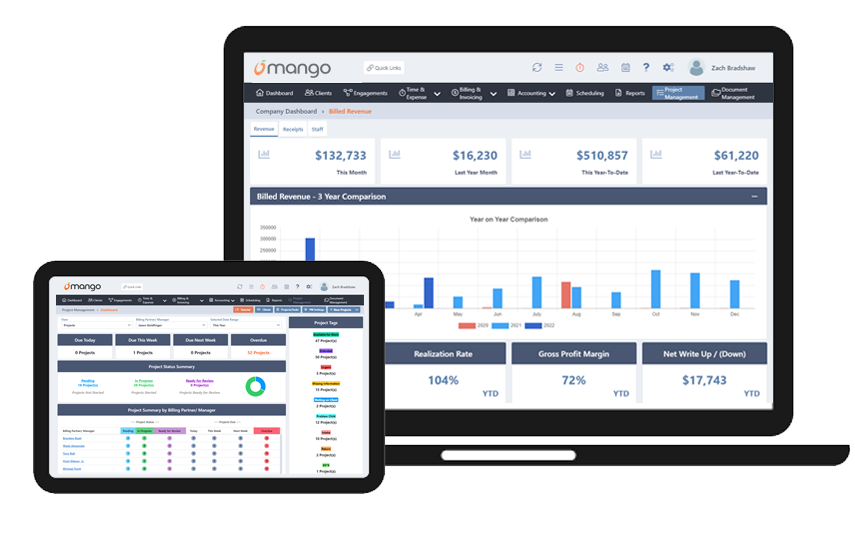
Sign up for a free 10-day trial and experience firsthand the advantages of a streamlined, automated approach to accounting.
Frequently Asked Questions
What is automation in accounting?
Automation in accounting is the use of software to handle routine accounting tasks automatically, which helps reduce manual work and improve accuracy. Firms use accounting automation software to streamline processes like invoicing, reconciliation, reporting, and workflow management.
What tasks can be automated in accounting?
Many routine accounting processes can be automated, including time tracking, billing, workflow and task management, document organization, client reporting, tax preparation workflows, and email and client communication. Each automated task helps reduce repetitive work and keep processes consistent across clients.
What are the benefits of accounting automation?
Key benefits of automation in accounting include improved accuracy, faster workflows and task completion, better visibility into project status and deadlines, and more efficient client communication. These advantages allow accounting firms to focus more on advisory services and strategic client support.
What is accounting automation software?
Accounting automation software refers to tools that streamline recurring accounting processes using automated workflows and integrations. These systems help firms manage tasks like invoicing, document management, reporting, and project coordination more efficiently.
How does automation improve accounting workflows?
Automation improves workflows by triggering tasks automatically, organizing documents, and providing real-time visibility into work progress. This helps accounting teams reduce bottlenecks, meet deadlines more consistently, and maintain accuracy across multiple client engagements.
Latest Posts

QuickBooks Time Tracking for Accounting Firms: What Breaks at 10+ Staff (and What to Do About It)
Most firms eventually outgrow basic tools, but hitting 10+ staff usually exposes the limits of general-purpose timekeeping. Learn when your firm needs specialized time tracking software for accountants to manage complex rates, detailed client matters, and reporting.

The CAS Pricing Problem: Structuring Monthly Recurring Revenue Without Scope Creep
Client Advisory Services (CAS) can look profitable on paper while scope creep drains margins. Learn how to structure CAS pricing, build tiered service models, and manage change orders to protect your accounting firm’s monthly recurring revenue.

Why Tax Season Workflows Break (Even When You Have Software): A Bottleneck Audit for CPA Firms
Tax season puts immense pressure on operations, turning small friction points into serious delivery issues. Learn how to perform a post-season bottleneck audit to evaluate document collection, capacity planning, and handoffs, and discover the practical steps required to optimize your CPA firm workflow management before the next busy season hits.

When to Stop Billing Hourly: The Accounting Firm’s Transition Playbook to Value-Based Pricing
Moving away from hourly billing requires a clear strategy. Learn how to safely implement accounting firm value-based pricing with our 6-phase playbook, designed to protect your margins, manage staff capacity, and eliminate scope creep.

How to Say No: 7 Scripts to Protect Your Time, Team, and Clients
Unchecked client demands exhaust your staff and compress delivery margins. Learn how accountants can say no through structured, repeatable communication scripts.